Flex TextInput控件
 Flex 表单控件
介绍
TextInput控件是一个文本输入控件,允许用户输入和编辑一行统一格式的文本。
类声明
以下是 spark.components.TextArea 类的声明:
public class TextInput
   extends SkinnableTextBase
公共财产
| S.N. | 属性和描述 |
|---|---|
| 1 |
widthInChars:Number 控件的默认宽度,以em为单位。 |
公共方法
| S.N. | 方法和描述 |
|---|---|
| 1 |
TextInput() 构造函数。 |
继承的方法
此类继承以下类中的方法:
spark.components.supportClasses.SkinnableTextBase
spark.components.supportClasses.SkinnableComponent
mx.core.UIComponent
mx.core.FlexSprite
flash.display.Sprite
flash.display.DisplayObjectContainer
flash.display.InteractiveObject
flash.display.DisplayObject
flash.events.EventDispatcher
Object
Flex TextInput控件示例
让我们按照以下步骤通过创建测试应用程序来检查Flex应用程序中TextInput控件的使用:
| 步骤 | 描述 |
|---|---|
| 1 | 在 Flex - 创建应用程序章节中所述,在包 com.tutorialspoint.client 下创建名为 HelloWorld 的项目。 |
| 2 | 修改 HelloWorld.mxml ,如下所述。 保持文件的其余部分不变。 |
| 3 | 编译并运行应用程序,以确保业务逻辑按照要求工作。 |
以下是修改后的mxml文件 src / com.tutorialspoint / HelloWorld.mxml 的内容。
<?xml version="1.0" encoding="utf-8"?>
<s:Application xmlns:fx="http://ns.adobe.com/mxml/2009"
   xmlns:s="library://ns.adobe.com/flex/spark"
   xmlns:mx="library://ns.adobe.com/flex/mx"
   width="100%" height="100%" minWidth="500" minHeight="500"
   >
   <fx:Style source="/com/tutorialspoint/client/Style.css"/>
   <s:BorderContainer width="550" height="400" id="mainContainer"
   styleName="container">
      <s:VGroup width="100%" height="100%" gap="50"
      horizontalAlign="center" verticalAlign="middle">
         <s:Label id="lblHeader" text="Form Controls Demonstration"
         fontSize="40" color="0x777777" styleName="heading"/>
         <s:Panel id="textInputPanel" title="Using TextInput"
            width="420" height="200" >
            <s:layout>
               <s:VerticalLayout  gap="10"
                  verticalAlign="middle" horizontalAlign="center"/>
            </s:layout>
            <s:TextInput text="Hello World" />
            <s:TextInput text="Hello World" enabled="false" />
         </s:Panel>
      </s:VGroup>
   </s:BorderContainer>
</s:Application>
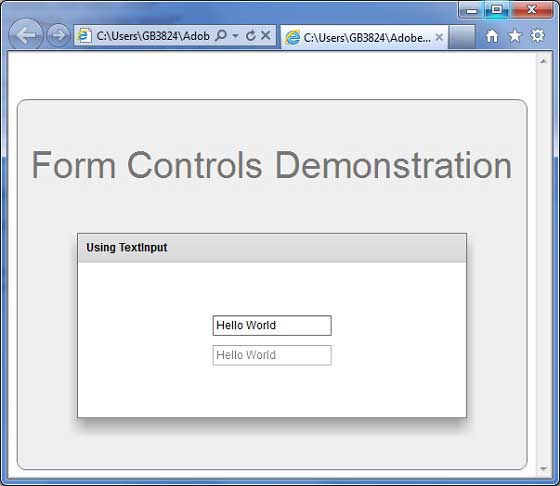
准备好所有更改后,让我们以正常模式编译和运行应用程序,就像在 Flex - 创建应用程序中一样 章节。 如果一切顺利,您的应用程序,这将产生以下结果: