Android 列表碎片
 Android 碎片(Fragment)
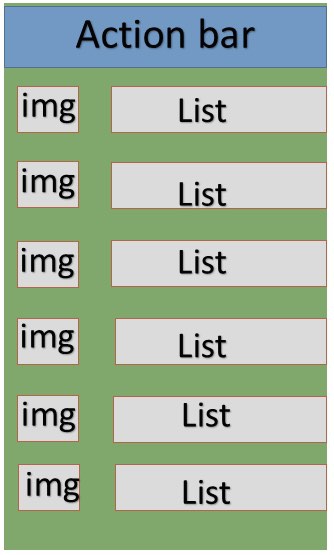
列表碎片的基本实现是用来在碎片中创建项目列表
实例
这个实例解释如何基于 ArrayAdapter 来创建列表碎片。让我们按照下面的步骤开始:
| 步骤 | 描述 |
|---|---|
| 1 | 使用 Android Studio 创建 Android 应用程序,命名为 List Fragment,包名为 com.bootwiki.listfragment |
| 2 | 修改字符串文件,在 res/values/string.xml 中添加新的字符串常量 |
| 3 | 在 res/layout 下创建名为 list_fragment.xml 的布局文件来定义列表碎片,并在 activity_main.xml 中添加 |
| 4 | 创建 MyListFragment.java 文件,其中包含 onCreateView(), onActivityCreated() 和 OnItemClickListener()。 |
| 5 | 启动Android模拟器来运行应用程序,并验证应用程序所做改变的结果。 |
在开始编码前,在 res/values 目录下的 string.xml 中初始化字符串常量。
<?xml version="1.0" encoding="utf-8"?>
<resources>
    <string name="app_name">listfragment</string>
    <string name="action_settings">Settings</string>
    <string name="hello_world">Hello world!</string>
    <string name="title_activity_main">List Fragment Demo</string>
    <string name="imgdesc">imgdesc</string>

    <string-array name="Planets">
        <item>Sun</item>
        <item>Mercury</item>
        <item>Venus</item>
        <item>Earth</item>
        <item>Mars</item>
        <item>Jupiter</item>
        <item>Saturn</item>
        <item>Uranus</item>
        <item>Neptune</item>
    </string-array>

</resources>
以下是 res/layout/activity_main.xml 文件的内容,其中包含线性布局和碎片标签。
<?xml version="1.0" encoding="utf-8"?>
<LinearLayout
    xmlns:android="http://schemas.android.com/apk/res/android"
    android:layout_width="match_parent"
    android:layout_height="match_parent"
    android:orientation="vertical" >

    <fragment
        android:id="@+id/fragment1"
        android:name="com.bootwiki.listfragment.MyListFragment"
        android:layout_width="match_parent"
        android:layout_height="match_parent" />

</LinearLayout>
以下是 res/layout/list_fragment.xml 文件的内容,其中包含线性布局,列表视图 和 TextView。
<?xml version="1.0" encoding="utf-8"?>
<LinearLayout
    xmlns:android="http://schemas.android.com/apk/res/android"
    android:layout_width="match_parent"
    android:layout_height="match_parent"
    android:orientation="vertical" >

    <ListView
        android:id="@android:id/list"
        android:layout_width="match_parent"
        android:layout_height="wrap_content" >
    </ListView>

    <TextView
        android:id="@android:id/empty"
        android:layout_width="match_parent"
        android:layout_height="wrap_content" >
    </TextView>

</LinearLayout>
以下是 src/com.bootwiki.listfragment/MyListFragment.java 文件的内容。在开始编码之前,需要按照如下的几个步骤:
创建 MyListFragment 类,继承自 ListFragment。
在 onCreateView() 方法内,使用上面定义的 list_fragment xml 布局来填充视图。
在 onActivityCreated() 方法内, 使用 在 string.xml 中定义的字符串数组 R.array.planet 资源来创建一个 ArrayAdapter,并将适配器设置到列表视图,并设置列表项的点击监听器
在 OnItemClickListener() 方法内,以土司消息的方式来显示被点击项的位置
package com.bootwiki.listfragment;

import android.app.ListFragment;

import android.annotation.SuppressLint;
import android.app.ListFragment;
import android.os.Bundle;

import android.view.LayoutInflater;
import android.view.View;
import android.view.ViewGroup;

import android.widget.AdapterView;
import android.widget.AdapterView.OnItemClickListener;
import android.widget.ArrayAdapter;
import android.widget.Toast;

public class MyListFragment extends ListFragment implements OnItemClickListener {
    @Override
    public View onCreateView(LayoutInflater inflater, ViewGroup container, Bundle savedInstanceState) {
        View view = inflater.inflate(R.layout.list_fragment, container, false);
        return view;
    }

    @Override
    public void onActivityCreated(Bundle savedInstanceState) {
        super.onActivityCreated(savedInstanceState);
        ArrayAdapter adapter = ArrayAdapter.createFromResource(getActivity(), R.array.Planets, android.R.layout.simple_list_item_1);
        setListAdapter(adapter);
        getListView().setOnItemClickListener(this);
    }

    @Override
    public void onItemClick(AdapterView<?> parent, View view, int position,long id) {
        Toast.makeText(getActivity(), "Item: " + position, Toast.LENGTH_SHORT).show();
    }
}
以下代码是 MainActivity.java 的内容:
package com.bootwiki.listfragment;

import android.app.Activity;
import android.os.Bundle;

public class MainActivity extends Activity {

    @Override
    protected void onCreate(Bundle savedInstanceState) {
        super.onCreate(savedInstanceState);
        setContentView(R.layout.activity_main);
    }
}
以下是 AndroidManifest.xml 文件的内容:
<?xml version="1.0" encoding="utf-8"?>
<manifest xmlns:android="http://schemas.android.com/apk/res/android"
    package="com.bootwiki.listfragment">

    <application
        android:icon="@drawable/ic_launcher"
        android:label="@string/app_name"
        android:theme="@style/AppTheme" >

        <activity
            android:name=".MainActivity"
            android:label="@string/title_activity_main" >

            <intent-filter>
                <action android:name="android.intent.action.MAIN" />
                <category android:name="android.intent.category.LAUNCHER"/>
            </intent-filter>

        </activity>

    </application>
</manifest>
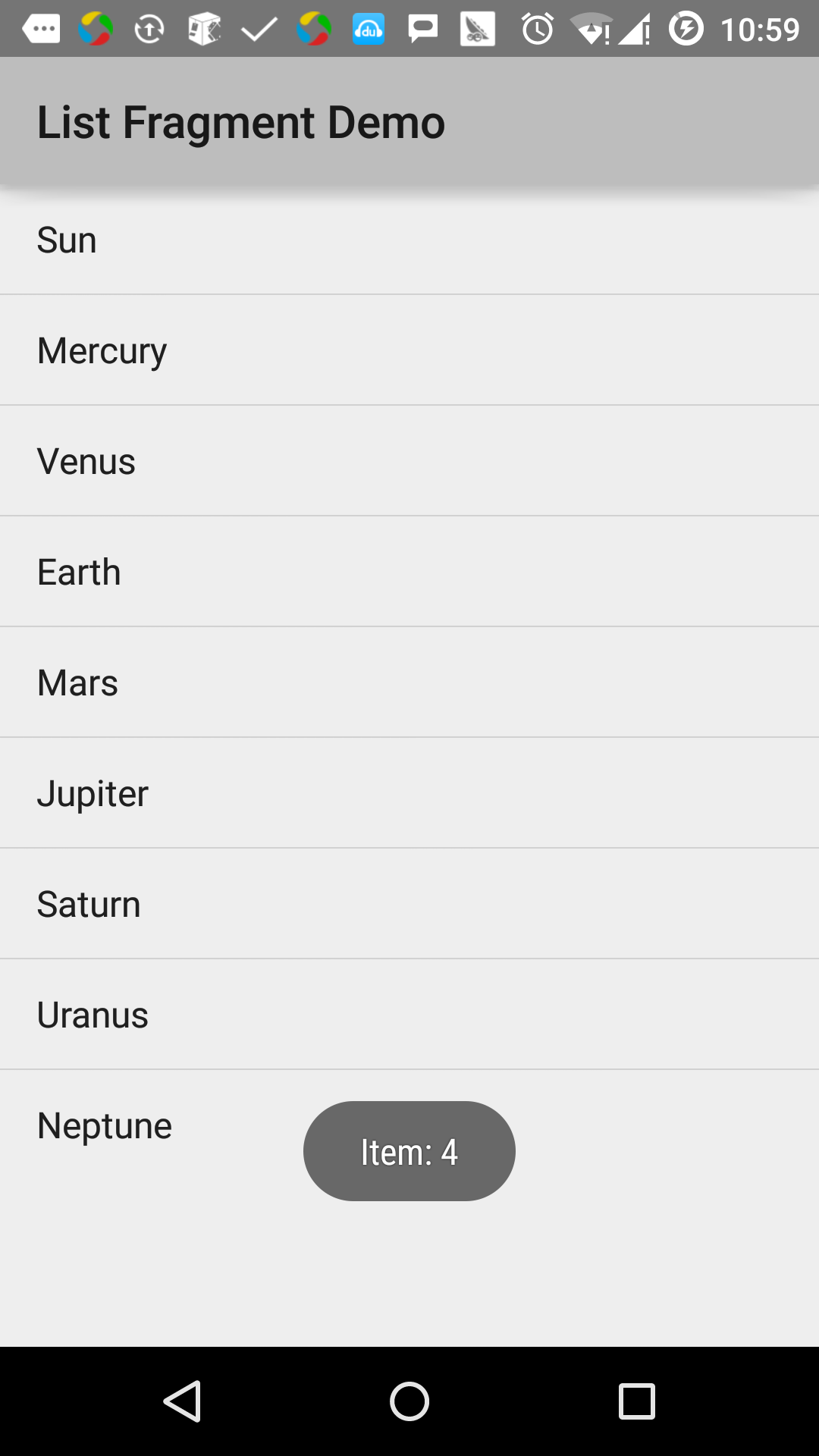
让我们运行刚刚修改的 List Fragment 应用程序。我假设你已经在安装环境时创建了AVD。打开你的项目中的活动文件,点击工具栏中的 图标来在Android Studio中运行应用程序。Android Studio在AVD上安装应用程序并启动它。如果一切顺利,将在模拟器窗口上显示如下: